Creating a workable school timetable is a balancing exercise. You need to place lessons, teachers, rooms, breaks, and special activities into a limited number of periods without producing clashes or unfair workloads. A timetable may look simple once finished, but poor planning can leave teachers double-booked, specialist rooms unavailable, or students facing several demanding subjects in a row.
Learning how to create a school timetable step by step makes the process far more manageable. The most reliable method is to collect accurate data, define fixed constraints, calculate teaching requirements, schedule the hardest lessons first, fill the remaining periods, and test the result before publication. This approach works for primary schools, secondary schools, small academies, and other educational settings, although the level of detail will vary.
This article explains each stage in practical terms. You will learn how to organize timetable data, identify conflicts, choose between manual and software-based scheduling, distribute lessons fairly, and make changes without disrupting the entire week. You will also see examples, validation checks, and solutions for common timetable problems.
School Timetable Requirements
Before placing a single lesson, establish the timetable’s basic structure. Record the number of teaching days, periods per day, lesson duration, break times, lunch periods, assemblies, registration sessions, and any shortened days. These details create the scheduling framework within which every class must fit.
Next, list the classes or year groups that require timetabling. For each one, record its subjects, weekly lesson allocation, teachers, preferred rooms, and any lessons that must run as doubles. Accurate source information matters because even a well-designed timetable will fail when its underlying data is incomplete.
Core Timetabling Principles
A school timetable must be conflict-free, educationally sensible, and realistic for staff. No teacher, class, or room can appear in two places during the same period. Shared resources such as laboratories, sports halls, computer rooms, and music spaces also need to be treated as limited assets.
A technically valid timetable is not automatically a good one. Lesson distribution affects concentration, teaching quality, and staff workload. Five mathematics lessons should normally be spread across the week, for example, rather than being concentrated into two days unless the curriculum specifically requires longer blocks.
Pre-Scheduling Checklist
Confirm the following information before building the
- The official school day and period structure
- Every class, form, or teaching group
- Required lessons per subject each week
- Teachers assigned to each subject and class
- Part-time staff availability
- Maximum teaching periods per teacher
- Rooms with specialist equipment
- Lessons requiring double or triple periods
- Fixed assemblies, meetings, clubs, or pastoral sessions
- Shared classes, electives, and ability groups
- Required planning and preparation time
- Accessibility or travel-time requirements between buildings
- Preferred lesson distribution across the week
- Known exceptions, such as visiting instructors
Creating a School Timetable Step by Step
The best way to build a timetable is to move from fixed and difficult items toward flexible ones. Trying to fill periods class by class without considering shared constraints often creates problems that only become visible near the end.
1. Define the Weekly Timetable Grid
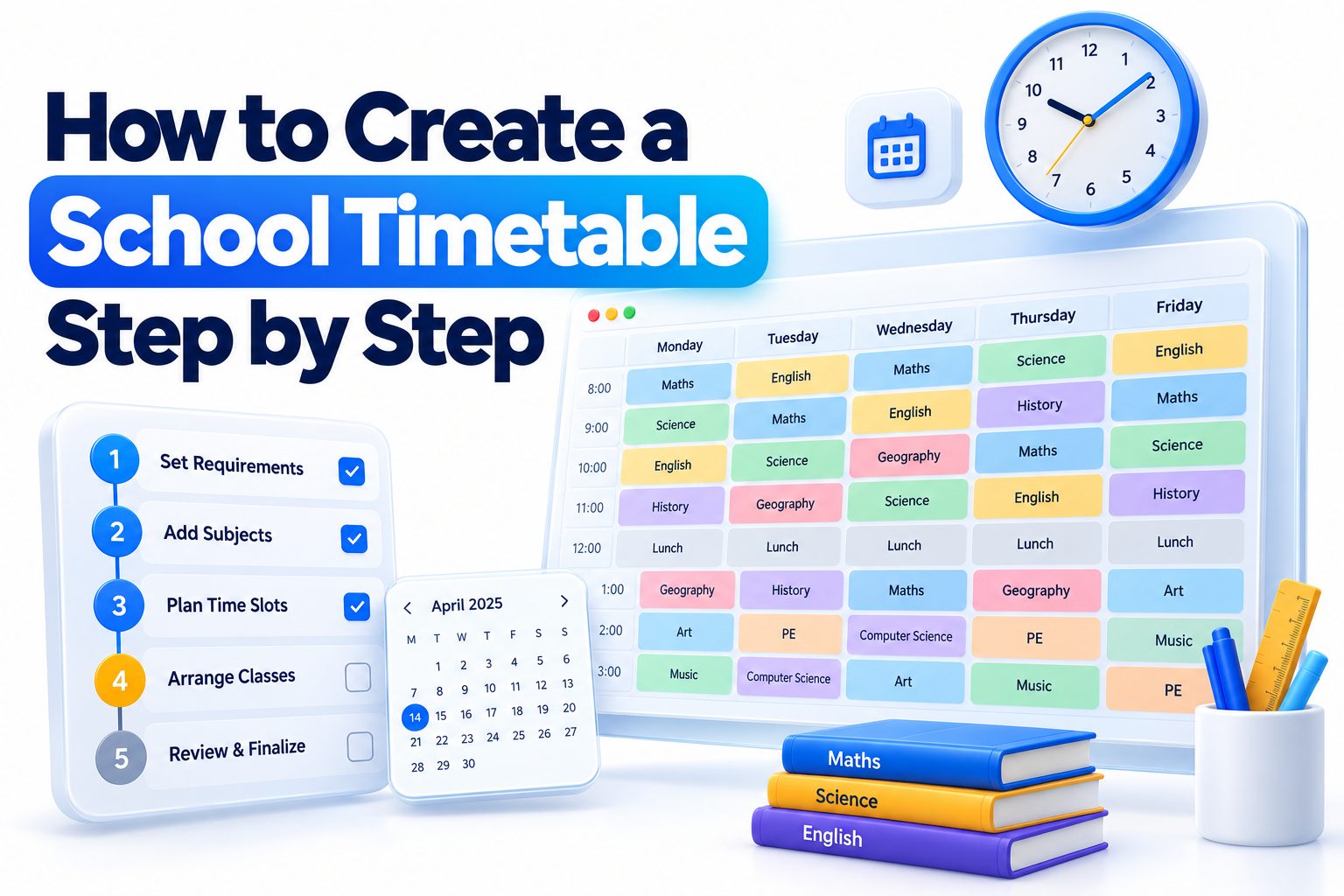
Create a grid containing every available teaching period. Days usually form the columns and periods form the rows, although the layout can be reversed. Mark breaks, lunch, registration, assemblies, and other non-teaching times so they cannot accidentally receive lessons.
Check the total number of usable periods per class. If a five-day school week has six teaching periods per day, each full-time class has 30 available lesson slots. Subject allocations and compulsory activities must fit within that total.
2. List the Curriculum Allocation
Prepare a curriculum table showing how many periods each subject receives per week. One row might show that Year 8 requires five English periods, five mathematics periods, four science periods, and smaller allocations for art, music, computing, physical education, and other subjects.
Add the figures for every class. The total should equal the number of periods available, unless some periods are intentionally reserved for study, enrichment, intervention, or pastoral work. Resolve any mismatch before scheduling begins.
3. Record Teacher Availability
Create an availability grid for each teacher. Mark periods when full-time staff are unavailable because of leadership duties, planning time, meetings, supervision, or work across multiple campuses. Part-time teachers should have their contracted days and hours clearly blocked.
Avoid treating preferences as hard restrictions. A teacher may prefer not to teach first period on Friday, but that preference should not carry the same weight as a contractual absence. Separate compulsory restrictions from desirable conditions so compromises can be made intelligently.
4. Identify Fixed Activities
Place events that cannot move before ordinary lessons. These may include whole-school assemblies, visiting music tuition, shared sports sessions, vocational courses, worship, off-site learning, or lessons taught by staff who attend only at specific times.
Fixed activities shape the rest of the schedule, so confirm them carefully. An incorrect fixed event can create dozens of unnecessary conflicts. If an activity affects several groups, verify that all participating teachers, classes, and rooms are available simultaneously.
5. Rank the Most Difficult Lessons
Some lessons are much harder to schedule than others. A science class needing a particular teacher, laboratory, and double period has fewer possible placements than a classroom-based subject taught by several available staff members.
Rank difficult lessons according to the number of constraints attached to them. Give priority to shared teachers, specialist facilities, large combined groups, double periods, part-time staff, and subjects with limited room options. Flexible lessons should remain unscheduled until later.
6. Schedule Specialist Resources
Place lessons that depend on laboratories, workshops, kitchens, computer suites, performance spaces, or sports facilities. Maintain a separate room grid so each specialist room can be checked independently from the class timetable.
Consider preparation and movement time as well. A teacher may be technically free in consecutive periods but unable to move equipment between distant buildings instantly. Practical subjects may also require setup, cleanup, or safe transitions between groups.
7. Add Core Subjects
Schedule English, mathematics, science, and other high-frequency subjects after the most restrictive activities are secure. Spread these lessons across the week to support regular learning and reduce long gaps between sessions.
Where possible, place demanding subjects when students are likely to be attentive. This does not mean every core lesson must occur in the morning. The aim is a fair distribution rather than consistently assigning the least desirable periods to one class or department.
8. Place Remaining Subjects
Add subjects with fewer constraints to the open periods. Continue checking teacher, class, and room availability after every placement. A change that works on one class grid may create a collision elsewhere.
Keep weekly balance in mind. Avoid giving one class three practical subjects on the same day if suitable alternatives exist. It is also sensible to separate physically demanding sessions from activities requiring sustained concentration when the timetable allows.
9. Allocate Staff Planning Time
Insert required planning, preparation, and assessment periods according to school policy or contractual rules. These periods should not be treated merely as leftover gaps. Their timing influences workload, lesson preparation, and staff wellbeing.
Try to make planning time usable. Two free periods separated by scattered teaching commitments may be less valuable than a workable block, although perfect arrangements are rarely possible. Leadership responsibilities and departmental collaboration may also require common non-teaching periods.
10. Review and Adjust the Draft
Once all lessons are placed, review the timetable as a complete system. Look beyond obvious clashes and assess lesson spacing, daily workload, teacher movement, room usage, and the number of isolated gaps in staff schedules.
Make controlled changes rather than moving several lessons at once. Record each adjustment and recheck every affected class, teacher, and room. This prevents a local solution from creating a hidden conflict elsewhere.
Hard and Soft Timetable Constraints
Hard constraints are rules that cannot be broken. A teacher cannot lead two classes simultaneously, a room cannot host two groups at once, and a part-time employee cannot be scheduled outside contracted hours. Curriculum allocations and required lesson lengths often belong in this category.
Soft constraints express preferences rather than absolute requirements. These include avoiding the same subject during the final period every day, giving staff consecutive planning periods, or spreading lessons evenly. A strong timetable satisfies as many soft constraints as possible without violating hard ones.
Constraint Type | Example | Required Response
Hard | Teacher assigned to two classes in one period | Move one lesson
Hard | Science lesson scheduled without a suitable laboratory | Assign another room or period
Hard | Class receives fewer than its required weekly lessons | Add the missing allocation
Soft | Mathematics appears twice on Monday | Review distribution if alternatives exist
Soft | Teacher has an isolated free period | Improve if it does not create new conflicts
Soft | Physical education always falls late in the day | Rebalance where facilities allow
Choosing a Timetable Creation Method
The right creation method depends on the school’s size, curriculum, and number of constraints. A small primary school may manage effectively with a spreadsheet, while a large secondary school with subject options, room changes, and part-time staff will usually benefit from dedicated scheduling software.
Whichever method you choose, the logic remains the same. The system needs accurate inputs, clear rules, and human review. Software can test combinations quickly, but it cannot correct inaccurate staffing data or decide which educational priorities matter most without guidance.
Manual Timetabling
Paper grids or whiteboards can work for small schools with stable class structures. They make it easy to see the week at a glance and discuss changes with colleagues. Color coding can distinguish subjects, teachers, rooms, or lesson types.
The limitation is error control. A lesson moved on one grid must also be changed on every connected teacher, room, and class schedule. Manual methods become difficult to manage when several resources are shared.
Spreadsheet Timetabling
A spreadsheet offers more structure without requiring specialist software. Separate sheets can track classes, teachers, rooms, curriculum allocations, and availability. Conditional formatting can highlight duplicate entries or unusually heavy days.
Spreadsheets still depend on careful design and consistent data entry. Validation rules, protected formulas, filters, and a clear naming system reduce mistakes. Readers developing wider administrative systems may also find [Internal Link: School Planning and Management] useful.
Timetabling Software
Dedicated school timetable software can detect clashes, apply constraints, generate alternatives, and produce schedules for students, staff, and rooms. It is particularly useful when the school has many elective groups or complicated staffing arrangements.
Automation does not remove the need for professional judgment. Generated schedules should be reviewed for teaching quality, practical movement, accessibility, and fairness. Before selecting a platform, assess data import options, reporting features, support, privacy requirements, and the effort involved in making midyear changes.
Validating the Finished Timetable
Validation should take place before the timetable is distributed. Start with mechanical checks: confirm every required lesson is present, no resource is double-booked, teachers receive their correct workloads, and rooms match the activities scheduled in them.
Then conduct a practical review with department leaders, administrators, and relevant staff. People familiar with daily operations often notice issues a scheduling system misses, such as equipment transfer times, unsuitable room capacities, or classes moving repeatedly between distant buildings.
Common Timetabling Mistakes
- Scheduling flexible lessons before restrictive ones
- Forgetting to block part-time staff absences
- Counting breaks or assemblies as available teaching periods
- Giving a class too many lessons in one subject on the same day
- Assigning a practical subject to an unsuitable room
- Omitting planning and preparation periods
- Creating excessive travel between buildings
- Treating every preference as a compulsory rule
- Changing one timetable without updating linked schedules
- Publishing before teachers verify their allocations
- Failing to save a dated master version
- Leaving no process for reporting corrections
Publishing and Communicating the Timetable
Once approved, publish the timetable in formats suited to its users. Teachers may need personal schedules with room details, students need clear class timetables, and administrative teams may require master views covering the entire school. Room schedules can also help laboratory technicians and support staff.
State when the timetable becomes effective and identify the official version. Provide a clear route for reporting errors, preferably through one coordinator rather than informal messages to several people. For related communication planning, see [Internal Link: School Communication Strategies].
Use consistent abbreviations and labels. If “Sci 2” refers to both a laboratory and a teaching group in different documents, confusion is inevitable. Include a short key wherever codes, initials, room numbers, or week rotations may be unfamiliar.
Maintaining the Timetable During the School Year
A timetable should be stable, but schools rarely remain unchanged for an entire year. Staff absence, enrollment changes, new classes, room closures, and curriculum adjustments may require revisions. Keep the original scheduling data so the timetable can be updated systematically.
Use version control for every published change. Record the date, reason, affected groups, and person authorizing the revision. Small changes should be tested against all connected schedules before release, just as they were during initial construction.
Quick Maintenance Tips
- Keep one protected master timetable
- Add a version number and effective date to each release
- Archive earlier versions instead of overwriting them
- Maintain current staff and room availability records
- Review recurring substitutions for underlying problems
- Notify every affected person through an agreed channel
- Avoid permanent changes in response to temporary issues
- Check transport, meal, and supervision arrangements after revisions
- Schedule a formal review after the first two weeks
- Collect improvement notes for the next timetable cycle
Practical Timetable Example
Consider a school with six periods per day and five teaching days. A Year 7 class therefore has 30 weekly periods. Its allocation includes five English lessons, five mathematics lessons, four science lessons, three language lessons, two physical education lessons, and eleven periods across other subjects and pastoral activities.
The scheduler first blocks assembly and registration, then places a double science lesson in an available laboratory. Physical education follows because the sports hall is shared. Core lessons are distributed across the remaining days, while art, music, humanities, and computing fill suitable open periods.
A balanced result might place mathematics on four separate days, with one double session where school policy permits. English could appear daily, while science is divided between a double practical lesson and two single theory lessons. Physical education should avoid colliding with other classes that require the same facility.
This example also shows why subject totals must be checked early. If all requested lessons add up to 32 periods but only 30 are available, no amount of rearranging will solve the problem. The curriculum allocation must be corrected before scheduling continues.
Resolving Common Timetable Problems
Teacher clashes often occur because staffing changes were not reflected in the source data or because one teacher covers several groups. Resolve the issue by identifying which lesson has more placement options. Move the flexible lesson while preserving the one tied to a specialist room, shared block, or limited teacher.
Room conflicts can sometimes be solved without moving the period. Check whether another room has suitable capacity and equipment. Do not relocate science experiments, design technology, or accessibility-dependent lessons to ordinary classrooms merely because a room appears empty.
Uneven lesson distribution requires a broader view. If one class has mathematics during the final period on three days, swapping a single lesson may improve the pattern. Every swap must still be checked against the teacher, replacement room, and the other class involved.
When no conflict-free arrangement exists, examine the inputs rather than forcing an invalid schedule. The school may need to change a teacher allocation, adjust a subject block, use another room, revise group sizes, or reconsider a soft preference.
Timetable Design Dos and Don’ts
Do:
- Verify data with department leaders before scheduling
- Protect fixed activities and contractual restrictions
- Place scarce resources before flexible subjects
- Distribute high-frequency lessons across the week
- Check class, teacher, and room schedules together
- Use consistent subject and room codes
- Ask staff to review a draft before publication
- Document the reason for significant compromises
Don’t:
- Assume software output is automatically practical
- Schedule teachers during known unavailable periods
- Overload one day simply because the timetable fits
- Ignore movement time between rooms or campuses
- Use specialist rooms for ordinary lessons without checking demand
- Make an isolated change without testing connected schedules
- promise that every personal preference will be met
- Publish several undated versions through different channels
Improving Timetable Quality Over Time
After the timetable has operated for several weeks, gather focused feedback. Ask about genuine operational problems rather than general preferences. Useful examples include repeated late arrivals caused by room distance, laboratory preparation difficulties, or lesson patterns that disrupt curriculum delivery.
Separate urgent corrections from future improvements. A safety issue or contractual error needs immediate action, while a teacher’s preferred free period may be recorded for the next scheduling cycle. This distinction protects timetable stability while preserving useful feedback.
Compare planned and actual use of resources. A computer room may appear heavily booked but remain unused because teachers regularly swap locations informally. Accurate usage information helps the school make better room allocations and staffing decisions in the following year.
Document the final compromises and the reasoning behind them. When the next timetable is created, these notes prevent the team from repeating rejected arrangements or spending time rediscovering known constraints. A timetable improves when each annual cycle builds on reliable evidence.
Conclusion
A successful school timetable begins with accurate information rather than a blank weekly grid. Define the available periods, confirm curriculum allocations, record staff and room restrictions, and distinguish fixed requirements from preferences. Schedule the least flexible activities first, then add core subjects, remaining lessons, and staff planning time.
The practical answer to how to create a school timetable step by step is to treat it as a connected system. Every placement affects a class, teacher, room, and often other shared resources. Checking only one timetable at a time allows hidden conflicts to survive.
Before publication, validate lesson totals, workloads, room suitability, daily balance, and movement between locations. Invite informed staff to review the draft, issue one clearly dated version, and create a controlled process for later changes. Manual grids, spreadsheets, and specialist software can all produce good results when the scheduling rules are sound. The best timetable is not necessarily perfect for every preference; it is conflict-free, educationally balanced, practical to operate, and fair enough to support consistent teaching throughout the week.
Frequently Asked Questions
How long does it take to create a school timetable?
A small school timetable may take several days, while a complex secondary timetable can require several weeks. The time depends on class numbers, staffing restrictions, room availability, elective blocks, data accuracy, and the number of review rounds.
Which lessons should be scheduled first?
Schedule lessons with the fewest placement options first. These usually include classes taught by part-time staff, shared elective blocks, laboratory sessions, physical education, combined groups, visiting instructors, and lessons requiring double periods or specialist rooms.
Can a school timetable be created in Excel?
Yes, Excel can manage timetables for small or moderately complex schools. Use separate tables for classes, teachers, rooms, and availability, then apply data validation, formulas, filters, and conditional formatting to identify missing lessons or duplicated resources.
What makes a school timetable effective?
An effective timetable contains no clashes, meets curriculum requirements, respects staff availability, uses rooms appropriately, and distributes lessons sensibly. It should also limit unnecessary movement, provide required planning time, and remain clear enough for users to follow.
How often should a school timetable be reviewed?
Review the timetable shortly after implementation and whenever staffing, enrollment, rooms, or curriculum requirements change. A full evaluation should also occur before the next scheduling cycle so recurring problems can inform the following year’s design.