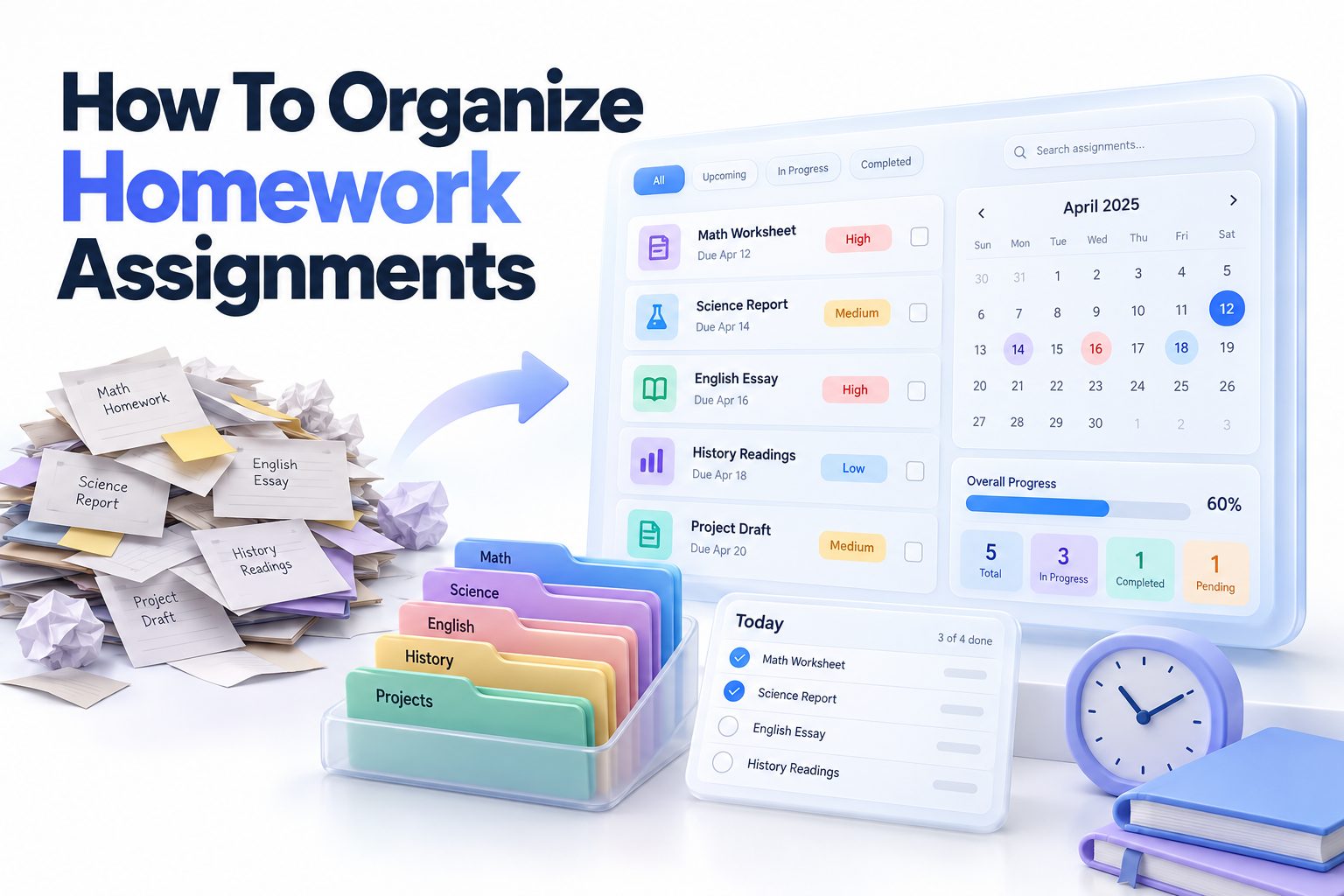
If you have ever stared at a backpack full of crumpled papers and wondered how to organize homework assignments without missing deadlines, you are not alone. Most students do not struggle because the work is too hard, they struggle because assignments pile up across different classes, apps, and notebooks with no clear system to track them.
Learning how to organize homework assignments is really about building a simple routine you can actually maintain. In this article, you will learn how to capture every task in one place, plan your week, set up folders that make sense, break down big projects, and use both paper and digital tools effectively. You will also get practical examples, routines for busy weeks, and tips for staying consistent even when school gets hectic.
Start With a Master Assignment List
A master list is the foundation of any organized homework system. Instead of relying on memory or scattered sticky notes, you keep every assignment, due date, and test in one central list that you check daily. This single habit prevents most late work because nothing stays hidden.
Most missed assignments happen when tasks live in too many places. One teacher posts in Google Classroom, another writes on the whiteboard, and a third gives a verbal reminder. A master list pulls all of that together so you always know what is due and when.
Capture Every Assignment in One Place
Choose one main capture tool and stick with it for at least three weeks. It could be a lined notebook, a planner, a notes app, or a spreadsheet. The specific tool matters less than the consistency of writing everything down the moment you hear it.
Include the class name, assignment title, due date, and any special instructions. For example, write English – Read chapters 4-5 and answer questions 1-3, due Thursday, instead of just English homework. That extra detail saves you from hunting for instructions later.
Add Due Dates, Priorities, and Details
Once everything is listed, add context that helps you prioritize. Note the due date, estimated time, and whether it will be graded, checked for completion, or counts as a major project. Color coding or simple symbols like stars can help you spot urgent work fast.
Review your list each afternoon and highlight the top three tasks for tomorrow. This quick sort keeps you focused on what matters instead of treating a small worksheet and a major essay as equal. [Internal Link: Weekly Homework Planning Tips]
Build a Weekly Planning Routine That Sticks
A weekly planning session gives you a clear picture before the week starts. Spend 15 to 20 minutes on Sunday evening or Monday morning looking at all due dates, quizzes, and activities. You will spot busy days early and can spread work out instead of cramming.
This routine also reduces stress because you make decisions once instead of every hour. When you already know that Tuesday is for math and science and Wednesday is for writing, you sit down and start faster with less procrastination.
Map Out Fixed Commitments First
Start by blocking out non-negotiable time like school hours, sports practice, work shifts, family commitments, and sleep. Then look at where homework realistically fits. Most middle and high school students do best with 60 to 90 minute focused blocks rather than one long evening session.
Leave one buffer slot each week for catch-up. If you finish early, you can use it for review or free time. If something runs long, you have space without pushing everything to midnight.
Plan Around Energy and Deadlines
Schedule harder subjects when you are most alert. If you focus best right after school, do math, chemistry, or essay writing first. Save lighter tasks like organizing notes, vocabulary review, or reading for later when energy dips.
Work backward from due dates for larger work. If a science report is due Friday, plan research on Monday, outline on Tuesday, draft on Wednesday, and edit on Thursday. Small daily progress feels much easier than a last-minute marathon.
Weekly Reset Checklist
Use this quick checklist during your weekly planning session to stay on track:
- Copy all new assignments from school portals and syllabi into master list
- Confirm due dates and test dates for the next two weeks
- Break large projects into smaller steps with mini deadlines
- Block study times around practices, work, and family plans
- Clean out backpack, desk, and computer downloads folder
- Check for missing work or grades that need follow-up
- Choose top three priorities for Monday and Tuesday
Set Up a Simple Folder System for Schoolwork
Paper and digital clutter makes homework take longer. When handouts, printouts, and files have a clear home, you spend less time searching and more time working. The goal is a system simple enough to use when you are tired.
Keep separate spaces for active work, reference material, and finished work. Active work is what is due this week. Reference is rubrics, study guides, and notes you still need. Finished work can be archived at the end of a unit or semester.
Organize Physical Papers Without Overcomplicating
Use one folder or binder section per subject with two pockets or dividers labeled To Do and Done. Put new handouts in To Do. Move them to Done after you finish and turn them in or file them. Empty the Done section weekly to avoid buildup.
Label everything with class, date, and topic. For example, write Algebra – Oct 12 – Solving Two-Step Equations at the top. If a paper falls out of your bag, you will know exactly where it belongs without guessing.
Create Digital Folders That Mirror Your Classes
Mirror your physical system on your computer or Chromebook. Create a main School folder, then a folder for each class, then subfolders like Assignments, Notes, and Projects. Use clear file names like History_Essay_Draft1_Oct15 instead of Document1.
Save or download important online materials right away. Do not rely only on a classroom app link that might move. Keep a backup in cloud storage if your school allows it, and clear your downloads folder every Friday so old files do not pile up.
Break Large Projects Into Smaller Tasks
Big projects feel overwhelming because the finish line looks too far away. Breaking them into steps of 20 to 45 minutes each makes them manageable and helps you start earlier. You also catch problems sooner when you review progress step by step.
Teachers often grade process as well as product, so showing an outline, sources, or draft can earn partial credit and feedback. Even when they do not, working in stages produces better results than rushing the night before.
Define Clear Milestones and Mini Deadlines
Read the rubric first and list every required part. For a history presentation, that might be choose topic, gather sources, write outline, create slides, practice, and present. Assign each part its own deadline two to three days before the final due date.
Write each milestone as a specific action you can finish in one sitting. Instead of work on essay, write write introduction paragraph and list three supporting arguments. Clear endpoints make it easier to track progress and feel accomplished.
Track Progress Visually
Use a simple progress tracker on paper or in a notes app. List each step with a checkbox and due date, then check it off as you finish. Seeing four out of six boxes checked keeps motivation high during a long project.
If you get stuck, break the current step down further. Stuck on research often means the topic is too broad. Narrow it to two focused questions, find one reliable source per question, then move on. Small wins build momentum.
Five Steps to Break Down Any Assignment
1. Read instructions and rubric carefully and highlight deliverables, length, and grading criteria.
2. List all parts in order, from research and planning to drafting and revising.
3. Estimate time for each part and add 25 percent extra for unexpected delays.
4. Assign each part to a specific day and write it in your planner.
5. Review progress daily and adjust the next step if you fall behind or finish early.
Create a Daily Homework Workflow
A daily workflow removes decision fatigue. When you follow the same start-up steps each day, you stop wasting 20 minutes figuring out where to begin. Consistency matters more than perfection, especially on low-energy days.
The best workflow fits your schedule and attention span. Some students work best in one focused block after school. Others prefer two shorter sessions with a break for dinner, exercise, or rest. Test both for a week and keep what works.
Use a Consistent After-School Startup Routine
Start by opening your master list, not social media. Pick two to three tasks based on due date and difficulty. Gather all books, chargers, water, and supplies before you begin so you do not keep getting up.
Try a timed focus method like 25 minutes of work followed by a 5-minute break. Put your phone in another room or on Do Not Disturb. After three focus rounds, take a longer 15 to 20 minute break to recharge.
Review and Pack Up in Five Minutes
End each session with a five-minute shutdown. Check off finished tasks, move unfinished tasks to tomorrow with a new time estimate, and pack your bag for the next day. Put signed forms, completed work, and supplies by the door.
This closing step prevents morning panic. You will know exactly what is ready to turn in and what still needs attention. Over time, this habit also shows patterns, like consistently underestimating math time, so you can plan better.
Use Planners and Digital Tools Effectively
Paper planners and digital apps both work well if you use them consistently. Paper is great for quick writing and memory because the act of writing helps retention. Digital tools are better for reminders, recurring tasks, and accessing lists from your phone or laptop.
Many students do best with a hybrid system. Use paper for daily tasks and time blocking, and digital for long-term deadlines, file storage, and reminders. The key is to avoid duplicating everything in both places, which creates confusion.
Choose Tools That Fit Your School Setup
If your school uses Google Classroom, Canvas, or Schoology, check it daily but do not treat it as your only planner. Copy due dates into your own list so you see all classes together. Turn on notifications for new posts or grade updates if available.
For digital to-do lists, simple apps like Google Tasks, Apple Reminders, Microsoft To Do, or Todoist work well. For time management, Google Calendar or a paper weekly spread helps you see the week at a glance. Pick one task manager and one calendar to start.
Keep Your System Easy to Maintain
Limit tags, colors, and categories to what you actually use. A simple setup like red for overdue, yellow for due this week, and green for done is enough for most students. Too many labels take more time to maintain than they save.
Do a monthly tool audit. If you have not opened an app in two weeks, drop it. If your planner pages stay blank, switch formats. Your system should reduce friction, not add another assignment to manage. [Internal Link: Student Time Management Strategies]
Paper Versus Digital Planning at a Glance
Paper planner strengths: fast to write, no battery or WiFi needed, better for memory and sketching schedules, fewer distractions.
Paper planner limits: no automatic reminders, harder to move tasks, can be lost or damaged, harder to search past notes.
Digital app strengths: reminders and recurring tasks, easy to reorder and search, accessible on multiple devices, good for storing links and files.
Digital app limits: notifications can be distracting, requires charging and internet for sync, easy to ignore if you do not open the app.
Best practice: choose one primary system for daily action, use the other only for backup or long-term reference, and review both during your weekly reset.
Keep Track of Grades and Missing Work
Organized students do not just track what is due, they track what has been graded. Checking grades weekly helps you catch missing assignments, errors, and patterns before they hurt your average. It also shows which study methods are working.
Most school portals update grades with a delay, so give new submissions a few days to appear. If something is marked missing but you turned it in, contact the teacher politely with the date and details right away.
Log Scores and Look for Patterns
Keep a simple grade log per class with assignment name, points earned, total points, and notes. After three to four weeks, look for trends. Low quiz scores might mean you need more active recall. Lost points for late work point to a planning issue, not a knowledge issue.
Use this information to adjust. If homework completion is strong but test scores are low, add more review sessions. If tests are fine but homework drags your grade down, focus on daily completion habits.
Follow Up Quickly and Politely
If you see a zero or missing label, act within 24 hours. Check your backpack, folders, and sent files first, then email the teacher with specifics including class period, assignment title, and when you submitted it. Attach a photo or file if you have it.
Ask about late work policies and extra credit options early in the semester, not the final week. Many teachers accept corrections or late submissions for partial credit if you communicate respectfully and show effort.
Stay Organized During Busy Weeks and Exam Time
Even good systems get tested during busy weeks with multiple tests, performances, games, or family events. The goal during these periods is not perfect organization, it is protecting sleep, meeting key deadlines, and avoiding last-minute surprises.
Plan these weeks differently. Reduce nonessential commitments when possible, front-load work before the busy stretch, and communicate early if you need help or an extension. A short message to a teacher is better than silence and a missed deadline.
Front-Load Work Before the Crunch
When you see a heavy week coming, start three to four days early. Finish small assignments ahead of time so you free up evenings for studying or big projects. Use weekend mornings for deep work when your house is quieter.
Pack study materials in advance. If you have away games or rehearsals, bring flashcards, review sheets, or audio notes. Fifteen minutes of review on the bus is more effective than zero minutes at home when you arrive exhausted.
Protect Sleep and Study Smarter
Cutting sleep to finish work usually backfires. Tired brains remember less and make more mistakes. Aim for a consistent bedtime, even during exams, and use active study methods like practice problems, self-quizzing, and teaching the material out loud.
Rotate subjects in 30 to 45 minute blocks instead of studying one subject for four hours. Mix review of old material with practice of new material. End each study block by writing down two things you remember and one thing to review next time.
Homework Do and Do Not List
Do keep one master list and check it twice daily, morning and after school.
Do break projects into steps with individual deadlines you write down.
Do study in focused blocks with phone away and supplies ready.
Do file papers immediately instead of stuffing them in your bag.
Do ask for help within a day when you feel confused or fall behind.
Do not rely on memory alone for due dates and test dates.
Do not keep tasks in five different apps, notebooks, and sticky notes.
Do not start big projects the night before they are due.
Do not copy assignments without understanding the steps involved.
Do not skip the weekly reset, even when you feel caught up.
Conclusion
Staying on top of schoolwork gets much easier when you use one master list, plan weekly, file papers consistently, and work in short focused sessions. Small habits like a five-minute shutdown, visual project checklists, and regular grade checks prevent most late work and last-minute stress without adding much extra time.
If you remember one thing about how to organize homework assignments, make it this: consistency beats complexity every time. Pick a simple system you will actually use, adjust it during busy weeks, and keep refining until planning feels automatic and homework feels manageable.
Frequently Asked Questions
What is the simplest method to track homework daily?
Use one master list for all classes and update it right after each class. Check it before starting work and again when packing up. This keeps due dates visible and prevents missed tasks.
How to keep track of daily homework assignments?
Write down class, task, and due date in the same planner every day. Prioritize by urgency, time-block your session, and check off tasks as you finish to stay motivated.
What should students do with papers after finishing work?
Move completed handouts to a Done section or archive folder immediately. File graded work by unit at home and recycle extra copies. Clear folders weekly to avoid clutter.
How to manage homework with sports and other activities?
Block practices and events on a weekly calendar first, then schedule homework around them. Front-load work on lighter days and use travel time for flashcards or reading review.
How to organize long-term projects without procrastinating?
Break the project into small steps with individual deadlines. Schedule each step on specific days, track progress visually, and finish a rough draft early to allow time for revisions.