Most mornings start with good intentions and too many tabs open, both on the screen and in the mind. You want to learn how to plan my day effectively without spending an hour planning or ending up with a rigid schedule that falls apart by 10 a.m. The answer is simpler than most productivity advice makes it sound.
Effective daily planning is about making clear trade-offs before the day starts. You decide what matters most, when you will do it, and what you will intentionally leave out. In this article, you will learn a practical system to set priorities, block time realistically, manage energy, handle interruptions, and review your day in minutes. You will get step-by-step methods, real examples for office work, remote work, and busy home life, plus simple tools you can use on paper or your phone.
Start With a Clear Picture of a Successful Day
A useful daily plan starts the night before or in the first ten minutes of the morning with a clear definition of success. Instead of listing twelve tasks, picture what a good day would look like at 6 p.m. That mental image keeps you focused on results that actually move your work and personal life forward.
Write that picture in one or two sentences in your planner or notes app. For example, finish client draft, clear inbox to zero, and take a 30-minute walk. This keeps your plan grounded and prevents you from filling the day with low-value busywork.
Define Outcomes Instead of Activities
An outcome describes a finished result, while an activity just describes effort. Change submit budget report to budget report sent to Sara for approval. Change work on presentation to first five slides drafted with data. Clear finish lines make it obvious when you are done.
Outcome language also helps you estimate time better. When you know exactly what done looks like, you can judge if it needs 25 minutes or two hours. That clarity reduces the urge to keep polishing a task that is already complete.
Set a Theme for Workdays and Home Days
A daily theme gives your choices context. Monday might be for planning and deep work, Friday for wrap-up and errands. Parents at home might set a theme like reset day or appointments day. A theme does not limit what you do, it helps you say no faster.
If you manage both work and family, try a split theme such as focus until lunch, family and errands after three. When conflicts come up, the theme tells you which area gets protected time.
Audit Your Time Before Making a New Plan
You cannot build a realistic plan if you do not know where your hours go. For two or three days, track your time in 30-minute blocks on paper or in a simple spreadsheet. Include meetings, messages, cooking, scrolling, commuting, and breaks. Most people find one to two hours of hidden time.
Look for patterns rather than judging yourself. Notice when you are sharp, when meetings cluster, when you snack and scroll, and how often small tasks interrupt larger ones. That data becomes the foundation for a schedule that fits your real life, not an ideal version of it.
1. Track for three weekdays from wake-up to bedtime in half-hour chunks.
2. Label each block as deep work, admin, communication, personal, rest, or wasted.
3. Add up totals for each category and note your peak focus window.
4. List your three biggest time leaks and one fix for each.
5. Use those fixes to set realistic work blocks and break times tomorrow.
Choose Your Top Three Priorities
Once you know your time reality, narrow your focus. Pick one main priority that must move forward, plus two supporting priorities. Everything else is bonus. Three priorities are enough to make progress but few enough to remember without checking a list constantly.
Put them in order. Priority one gets your best energy slot. Priority two gets the next best slot. Priority three is flexible and can move to gaps. This ranking helps when a meeting runs long or a child gets sick, because you already know what to protect.
Separate Must-Do Tasks From Nice-to-Do Tasks
Must-do tasks have a deadline, a commitment to someone else, or a clear consequence today. Nice-to-do tasks are helpful but safe to postpone. Write both lists separately so urgent-looking but unimportant items do not steal prime morning hours.
A helpful test is to ask what happens if this waits 24 hours. If nothing breaks, it belongs on the nice-to-do list. Scheduling only two or three must-do items keeps your day calm and leaves room for good work.
Keep a Parking Lot for New Ideas
New requests will arrive all day. Instead of adding them straight to today, keep a parking lot list on the side. Write the idea down, assign it to tomorrow or next week, and return to your current task. This captures everything without derailing you.
Review the parking lot during your evening reset. Most items can be batched, delegated, or deleted. You will feel less mental clutter because nothing important is held only in your head. For related systems to keep tasks organized, see [Internal Link: Weekly Planning Routine].
Time Blocking That Actually Holds Up
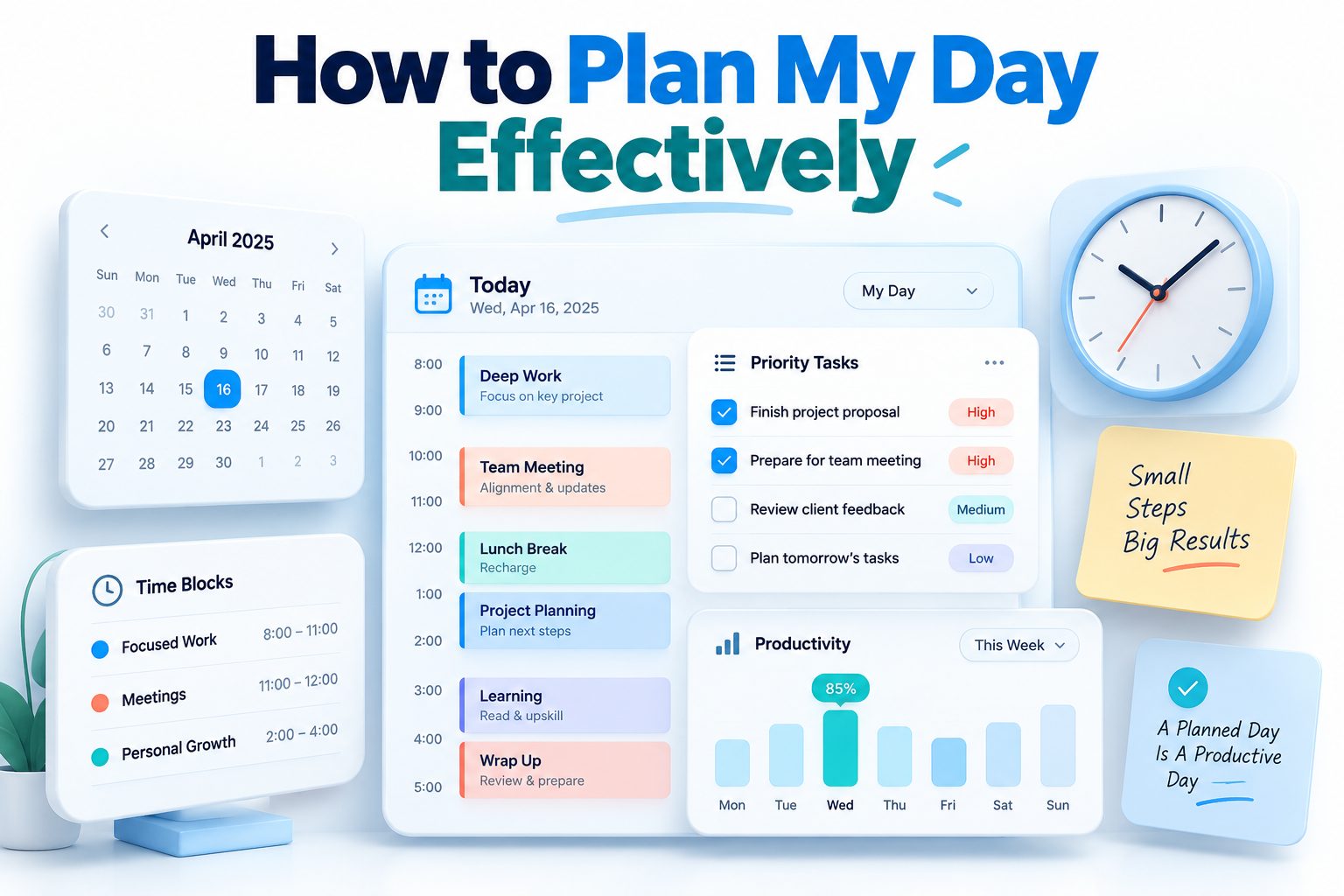
Time blocking works when blocks reflect real constraints like energy, meetings, and transition time. Start with fixed appointments, then place your top three priorities around them. Leave 10 to 15 minutes between blocks for setup, water, and notes. A packed back-to-back plan almost always fails.
Assign each block a single job and a location. For example, 9:00 to 10:30 draft proposal at desk with phone on silent, or 1:00 to 1:30 process email in kitchen. Specificity reduces starting friction because you do not have to decide what to do when the time comes.
Match Task Size to Available Slots
Short gaps are perfect for admin like confirming appointments, paying a bill, or tidying files. Do not wedge a 90-minute report into a 30-minute gap before lunch. You will rush, make errors, and carry stress into the next block.
Keep a short list of 10-minute tasks for unexpected free time. When a meeting ends early, pick one and finish it fully. Small wins add up and protect your longer deep work sessions from being chopped up.
Use Buffer Blocks for Overflow and Rest
Add one or two 30-minute buffer blocks in the afternoon. Use them for tasks that ran over, urgent messages, or a real break if you are on track. Buffers are what make a plan resilient instead of fragile.
Without buffers, one delay cascades through the whole day. With buffers, you absorb delays calmly. If you finish everything early, use the buffer for a walk, reading, or getting ahead on tomorrow.
- Keep deep work blocks to 60 to 90 minutes with a clear stopping point.
- Put shallow admin together in one afternoon batch instead of scattered through the day.
- Schedule lunch away from screens to restore focus for the afternoon.
- Set phone to Do Not Disturb during priority blocks and tell coworkers your focus hours.
- End work blocks with a two-minute note on next steps so restarting is easy.
Building a Morning Setup Routine
A short setup routine beats a long morning ritual you will skip. Spend eight to ten minutes reviewing your calendar, top three priorities, and time blocks. Check messages once, pull out only today-relevant items, and close email again. Then start with priority one.
Keep logistics ready the night before to reduce decisions. Lay out clothes, prep lunch ingredients, charge devices, and place your planner or laptop where you will see it. Fewer morning choices means more willpower for important work.
Start With a Quick Win
Begin the day with a five-minute win like making the bed, clearing the sink, or sending one quick confirmation. A finished task builds momentum and signals to your brain that you are in execution mode. Then move straight into deep work.
Avoid starting with social media or news. Those inputs put other people’s agendas first and make it harder to concentrate. If you need a gentle start, stretch, hydrate, and review your one-line goal for the day.
Protect the First Focus Hour
The first 60 to 90 minutes often set the tone for everything after. Guard that window for priority one whenever possible. Delay nonurgent meetings, mute group chats, and work in a low-distraction spot if you can.
If you work with kids or a busy household, communicate the plan. A simple I am focusing until 9:30, then I am available helps others respect the boundary. Consistency teaches people when you respond fastest.
Managing Energy Alongside Your Schedule
Time is not the only resource, attention and physical energy shape output just as much. Most people focus best 1 to 3 hours after waking, dip early afternoon, then rebound slightly. Place creative or analytical work in peak hours and save routine tasks for low-energy periods.
Support energy with basics. Get daylight in the morning, drink water before extra coffee, eat a protein-rich lunch, and take short movement breaks. A five-minute walk often restores more focus than another espresso and another tab.
Plan Breaks With Intention
Breaks work best when they are scheduled and truly restorative. Try 25 minutes of work followed by a 5-minute stand and stretch, or 50 minutes followed by 10 minutes away from the desk. Step outside, look far away, and move your body.
Avoid break activities that drain you further, like intense debates in comments or long video scrolls. Set a timer for breaks so they stay refreshing instead of turning into a 40-minute detour that breaks your rhythm.
Afternoon Reset Checklist
- Drink a full glass of water and step away from the screen for five minutes.
- Review remaining blocks and confirm what still fits today.
- Pick one next action for your current project to reduce restart time.
- Clear your desk, close unused tabs, and silence nonessential notifications.
- Do two minutes of stretching or a short walk around the block.
- If energy is very low, switch to admin and move deep work to tomorrow morning.
Handling Interruptions and Unexpected Tasks
Even a good plan will meet interruptions. The goal is not zero interruptions, it is fast recovery. When something new appears, pause for 20 seconds and ask if it is urgent, important, or neither. Urgent and important gets handled now. Everything else goes to a buffer, tomorrow, or the parking lot.
Keep standard responses ready. I can look at this at 3 p.m., or please send details by email and I will reply today, buys time without sounding dismissive. Colleagues and family adapt quickly when you offer a clear alternative time.
Say No Without Guilt or Drama
Declining politely protects your top priorities. Be brief, warm, and specific. I cannot take that today, but I can do Thursday morning. Or I am at capacity this week, here is someone who can help. You do not need a long excuse.
Track how often you say yes out of habit. If your calendar fills with other people’s priorities, add office hours for requests twice a week. Structured availability reduces random pings and still shows you are helpful.
Batch Messages and Meetings Together
Constant checking fragments attention. Check email and messages two or three times daily, for example at 11:30 a.m., 2:30 p.m., and 4:45 p.m. Process each message once by replying, filing, or adding a task with a due time.
For meetings, ask for an agenda, desired outcome, and length in advance. Suggest 25 or 45 minutes instead of default hour slots. Fewer, shorter meetings leave larger blocks for real progress.
Planning Tools and Paper Systems Compared
The best tool is the one you will actually check. Paper planners offer focus with no notifications and better memory through handwriting. Apps offer reminders, repeating tasks, calendar sync, and search. Many people use both, paper for daily focus and an app for appointments and reminders.
Keep your system simple. One calendar for all commitments, one task list for actions, and one note space for ideas. When tools multiply, tasks hide and planning takes too long. Review your setup monthly and remove anything you stopped using.
Feature / Paper Planner / Simple App
Daily visibility / Always open on desk, no battery needed / Needs phone, but syncs across devices
Distractions / Very low, no pings / Medium, depends on notification settings
Reminders / None unless you check it / Automatic alerts and repeats
Search history / Manual flipping through pages / Instant search by keyword
Best for / Focus, memory, simple days / Busy calendars, shared tasks, travel
You can also combine them without duplicating work. Keep appointments only in the digital calendar, copy today’s items to paper each morning, and archive completed paper pages weekly with a photo. The transfer itself acts as a review.
Evening Review That Makes Tomorrow Easier
A ten-minute evening review closes today and primes tomorrow. Check what you finished, move unfinished items to a specific future slot, and clear your inbox to a stopping point. Tidy your space and lay out what you need first thing.
Write a short shutdown note with tomorrow’s top three, first block start time, and any open loops. This tells your brain work is parked safely, which improves sleep and makes mornings start faster. For building this into a regular habit, see [Internal Link: Time Management Tips for Busy People].
Capture Lessons in Two Lines
Do not journal for half an hour unless you enjoy it. Write two lines only. Line one, what worked today. Line two, what to change tomorrow. Examples include deep work before email worked, or afternoon meetings drained me, batch admin earlier.
Over weeks, these lines reveal your ideal schedule. You will see which start time, break pattern, and meeting load suit you. Small tweaks based on real notes beat copying someone else’s perfect routine.
Prepare for Friction Points
Look at tomorrow’s calendar for tight transitions, hard tasks, or low-energy zones. Pack snacks, confirm childcare, download files, or break a large task into a smaller first step. Removing one obstacle tonight can save 20 minutes tomorrow.
If tomorrow looks overloaded, pre-decide what to drop. Choose in advance which nice-to-do item moves if an urgent issue appears. Deciding calmly tonight prevents rushed choices under pressure.
Adapting Your Plan for Different Work Styles
Office workers, remote workers, students, and caregivers face different constraints. Office days revolve around fixed meetings and commute time, so anchor deep work early or late and batch errands near the office. Remote days offer flexibility but need clearer start and stop signals.
Students can plan around class blocks and study in 40-minute sprints with active recall. Caregivers often work in split shifts, using nap times or school hours for focus and evenings for light prep. Match the method to your setting rather than forcing one template.
Common Mistakes and Practical Fixes
- Overloading the list with ten tasks and finishing none with full attention.
- Estimating only work time while ignoring setup, waiting, and transitions.
- Planning in the head instead of writing blocks where you can see conflicts.
- Starting with email, which lets random requests set the agenda.
- Skipping breaks, which lowers quality and creates evening fatigue.
- Treating every day the same instead of adjusting for meetings, energy, and home needs.
Do This, Not That
Do plan tomorrow in ten minutes tonight. Do not rebuild the whole system every morning.
Do keep three priorities visible. Do not keep three different apps with three different lists.
Do use buffers for delays. Do not stack meetings with zero travel or reset time.
Do close loops with a next action note. Do not leave tasks half-defined for tomorrow.
Do protect sleep and movement. Do not trade them for an extra hour of shallow work.
Conclusion
Daily planning works best when it is short, visual, and honest about limits. You define success clearly, choose three priorities, place them in realistic time blocks, and protect energy with breaks and buffers. You track time briefly, batch messages, park new ideas, and close the day with a ten-minute review that sets up tomorrow. When interruptions come, you decide fast, adjust one block, and keep going. If you practice how to plan my day effectively for two weeks, you will notice calmer mornings, fewer forgotten tasks, and steadier progress on work that matters. Keep the system light enough to use on hard days, and it will keep working on busy ones too.
Frequently Asked Questions
What is the best time to plan your day
Most people do best planning for ten minutes in the evening, then confirming for two minutes in the morning. Evening planning reduces morning decisions and improves sleep because tomorrow feels settled and clear.
How long should daily planning take each morning
Aim for eight to ten minutes to review calendar, priorities, and blocks. If planning takes longer than fifteen minutes daily, your system is too complex and should be simplified to one list and one calendar.
How many tasks should I schedule in one day
Schedule three main priorities and two to four small admin tasks. This usually fills six to eight hours realistically once meetings, breaks, transitions, and unexpected requests are included in the plan.
What should I do when my plan falls apart
Pause, pick the single most important remaining task, and place it in the next available block. Move the rest to tomorrow with specific times, then use a buffer to reset calmly.
Is paper or digital better for daily planning
Use paper if you want focus and memory, digital if you need reminders and sharing. Many people use both successfully by keeping appointments digital and copying today’s focus to paper.